Additive manufacturing builds parts layer by layer from a digital file. That's fundamentally different from subtractive processes like CNC machining, which cut material away from solid stock, or formative processes like injection molding, which force material into a fixed mold.
Manufacturers struggle with long tooling lead times, expensive short-run production, and slow-moving spare parts inventory. Additive manufacturing addresses all three. This article covers where 3D printing fits in modern manufacturing, the technology choices that matter, what it takes to implement it, and where its limitations still apply.
Key Takeaways
- Covers design validation, custom tooling, low-volume production, and on-demand spares in one workflow.
- Choose technology by material, geometry, tolerance, strength, volume, and finish—not brand.
- Best for complex, customized, or time-sensitive parts; conventional methods still win at high volume.
- Total cost of ownership—not purchase price—decides whether in-house printing pays off.
Why Manufacturers Use 3D Printing
Additive manufacturing builds parts directly from CAD files, layer by layer. There's no mold to cut, no tooling to machine. That means engineers can push a design change overnight and have a revised part the next morning.
Core operational benefits include:
- Shorter development cycles between design and physical part
- Lower tooling requirements for low-volume or custom work
- Design freedom for geometries that molds or cutters can't produce
- Reduced material waste compared to subtractive processes
- On-demand production without minimum order quantities
Consolidating Parts and Complexity
Additive manufacturing can merge what used to be a multi-part assembly into a single printed component. SLS-printed housings, for example, can integrate ductwork and other features that would be impossible to mold—replacing a complex assembly with one part.
The Cost Trade-Off
Traditional tooling carries high upfront costs that only make sense at volume. 3D printing flips that math for smaller runs. One documented example: FabPro-printed fixtures cost around $45 and print in under a day, compared to roughly $450 and 3-5 days for an aluminum-milled equivalent, a 10x cost difference for that application.
That gap holds for low volumes. At high volumes, injection molding and machining still win on per-part cost because tooling investment gets spread across thousands of units.
A Stratasys case study at an automotive supplier shows the same pattern: a jig took one to two days with 3D printing versus a full week on conventional CNC, at lower cost. In one run, an integrated additive approach cost four times less than an outside supplier—demand was 1,000 pieces, while the supplier’s minimum order was 20 times larger.

Limitations Worth Knowing
3D printing is not a universal replacement. Key limitations include:
- Anisotropy — weaker along the Z-axis (layer direction) than in the X-Y plane
- Build speed — building up in Z is slower than traversing X-Y
- Part-size constraints — limited by each machine’s build volume
- Surface finish — often needs post-processing to match molded parts
- Material availability — options vary by printer and process
- Process validation — required for regulated or safety-critical applications
Key 3D Printer Applications in Manufacturing
Rapid Prototyping and Design Validation
Before committing to tooling, manufacturers print concept models, fit-and-function prototypes, and engineering test parts straight from CAD files. Platforms like the Figure 4 line support rapid design iteration along with form, fit, and function testing on the same equipment used for production parts later.
Jigs, Fixtures, Gauges, and Assembly Aids
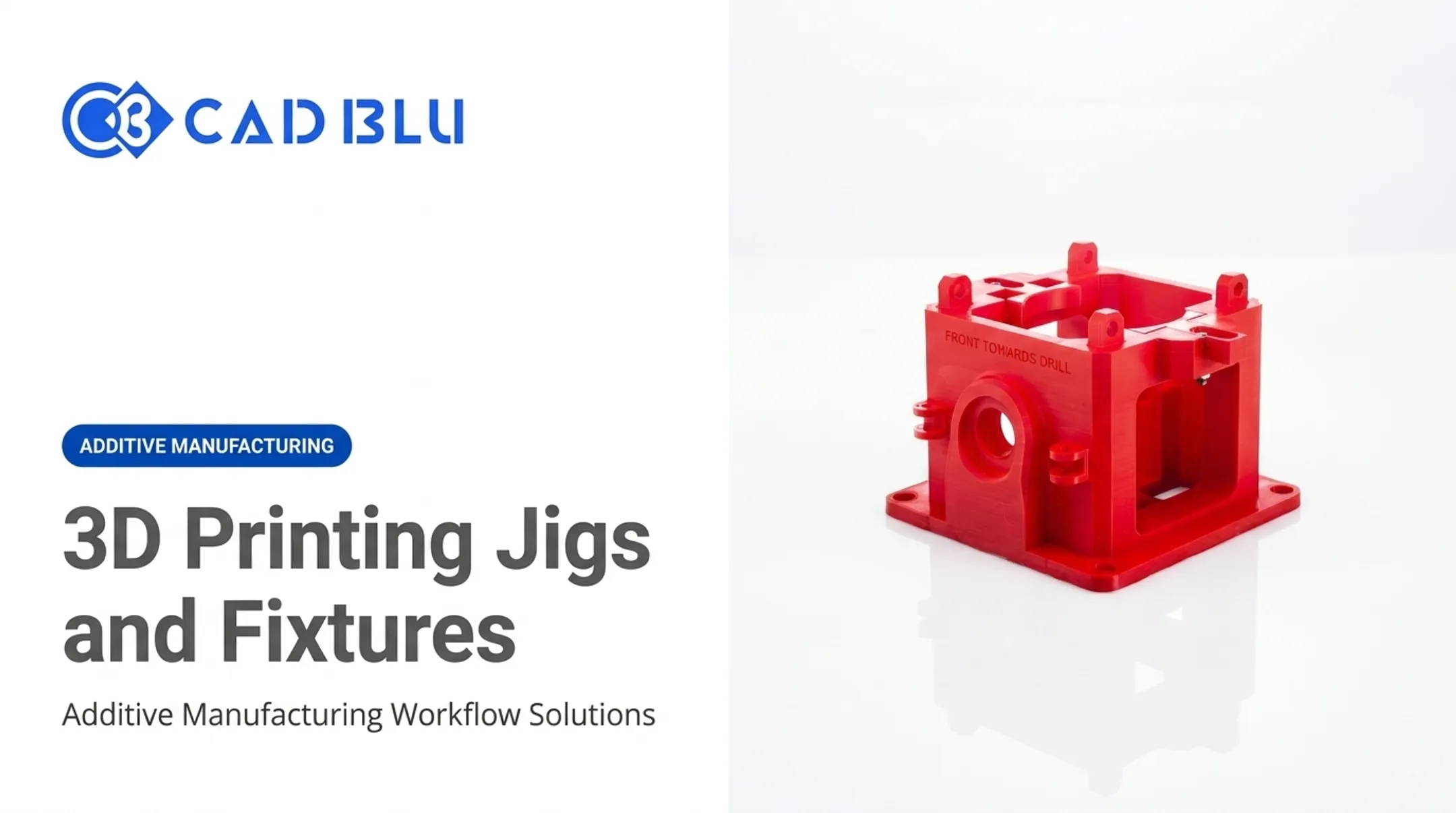
This is where additive manufacturing pays for itself fast. Printers like the FabPro 1000 produce:
- Drill guides and go/no-go gauges
- Assembly and disassembly jigs
- Bonding jigs and vise/clamp inserts
- Masking templates
Assembly jigs that used to take days on a CNC machine now print in hours, cutting jig-and-fixture costs by as much as 10x. When a production line changes, a new fixture is a redesign and a print job, not a re-machined tool.
Rapid Tooling and Mold-Making
Investment casting is one of the strongest use cases. Instead of injection-molded wax patterns, manufacturers print casting patterns directly using SLA or MJP materials, an approach CAD BLU applies through its investment-casting solutions. Tool-less MultiJet printing on systems like the ProJet MJP 2500 IC can save weeks compared to conventional wax-pattern production.
Other tooling applications include:
- Sacrificial patterns for silicone injection molding that withstand heat and pressure before breaking away
- Thermoforming tools and inserts
- Short-run production molds using the same material as the finished part
Low-Volume and Bridge Manufacturing
Sometimes conventional tooling isn't ready yet, or the run is simply too small to justify it. Bridge manufacturing fills that gap.
It's used for pilot runs, customized products, and parts needed while permanent tooling is still in fabrication. The ProJet MJP 2500 IC, for instance, targets low- to mid-volume production at a fraction of traditional injection-tooling costs, with part complexity that standard molding can't achieve.
On-Demand Spare Parts and Maintenance
Storing digital files instead of physical inventory means obsolete or low-demand parts can be printed when needed, rather than sitting on a shelf for years. This reduces dependence on suppliers with long lead times. Manufacturers pursuing this approach should still maintain clear approval and traceability procedures for any printed replacement part going into service equipment.
Direct End-Use Production
Certain sectors are printing final parts, not just prototypes. Investment-casting workflows serve aerospace, medical, dental, and jewelry manufacturing directly.
In regulated categories, evidence matters. The FDA notes that 3D-printed medical devices include orthopedic and cranial implants, surgical instruments, dental restorations such as crowns, and external prosthetics. These devices go through the same regulatory pathways as traditionally manufactured ones.

Any performance-critical or regulated end-use claim should be backed by documented clearance, not marketing language alone.
3D Printing Technologies and Materials for Industrial Applications
Different processes solve different problems. Here's a practical comparison:
| Process | Best For | Trade-Offs |
|---|---|---|
| Material extrusion (FDM) | Functional prototypes, tooling, engineering thermoplastics | Weakest strength along Z-axis; visible layer lines |
| Vat photopolymerization (SLA) | Fine detail, casting patterns, smooth finishes | Resin costs more than filament; needs UV curing |
| Powder bed fusion (SLS) | Durable end-use parts, complex geometries without supports | Higher equipment cost; powder handling requirements |
| Material jetting (MJP) | Multi-material parts, wax patterns, jewelry casting | Requires wax/resin supports removed post-print |
| Binder jetting | Metal and sand-casting applications | Often needs secondary sintering or infiltration |
| Metal AM | End-use metal parts, tooling inserts | Requires finishing; highest capital investment |
Material families map directly to part requirements:
- Engineering thermoplastics (nylon, ABS) for impact resistance and durability
- Composites (glass- or carbon-filled nylon) for added stiffness
- Elastomers and TPU for flexible, rubber-like parts
- Photopolymers for fine detail and smooth surfaces
- Wax and castable resins for investment casting patterns
- Biocompatible materials for dental and medical applications requiring ISO 10993 or USP Class VI compliance
Printer selection isn't just about the process. Manufacturers need to weigh:
- Build volume against part size
- Throughput against production deadlines
- Dimensional accuracy against tolerance requirements
Environmental controls matter too. Some systems, like the UltiMaker Factor 4, actively control build chamber temperature and humidity because material properties shift with environmental conditions.
Material qualification, automation needs, and the operator's ability to hold a repeatable process also factor in. Printer selection is a workflow decision.
How to Introduce 3D Printing Into a Manufacturing Workflow
The End-to-End Process
- Identify a suitable part — something with complex geometry, low volume, or time sensitivity
- Create or scan the CAD model using existing design files or 3D scanning
- Prepare and orient the file to optimize strength and minimize print time
- Select material and print settings based on the part's functional requirements
- Produce the part on qualified equipment
- Complete post-processing — support removal, curing, finishing, or infiltration
- Inspect and document the approved process for repeatability

Deciding What Actually Matters
Before picking a technology, answer these questions:
- What load will the part carry in service?
- What tolerance and finish does it need?
- How many units, and how fast?
- Does the application require material certification or biocompatibility?
- What's the production environment (climate-controlled, industrial floor, cleanroom)?
In-House, Outsourced, or Hybrid?
The right model depends on print frequency, part size, material complexity, and how much capital you're willing to commit.
- Outsourcing — launches applications faster with no capital spend and taps existing process expertise
- In-house — keeps scheduling control, but needs trained technicians, safe material handling, and ongoing maintenance
- Hybrid — prints prototypes and low-volume runs on-site; outsources specialized materials or larger jobs
Calculating Total Cost of Ownership
Printer hardware is only the starting cost. Full TCO also covers:
- Materials and consumables
- Labor for setup, monitoring, and post-processing
- Software licensing
- Maintenance contracts and OEM support
- Facility requirements (temperature, humidity, ventilation)
- Failed prints and rework
- Training time for operators
- Inspection and quality documentation
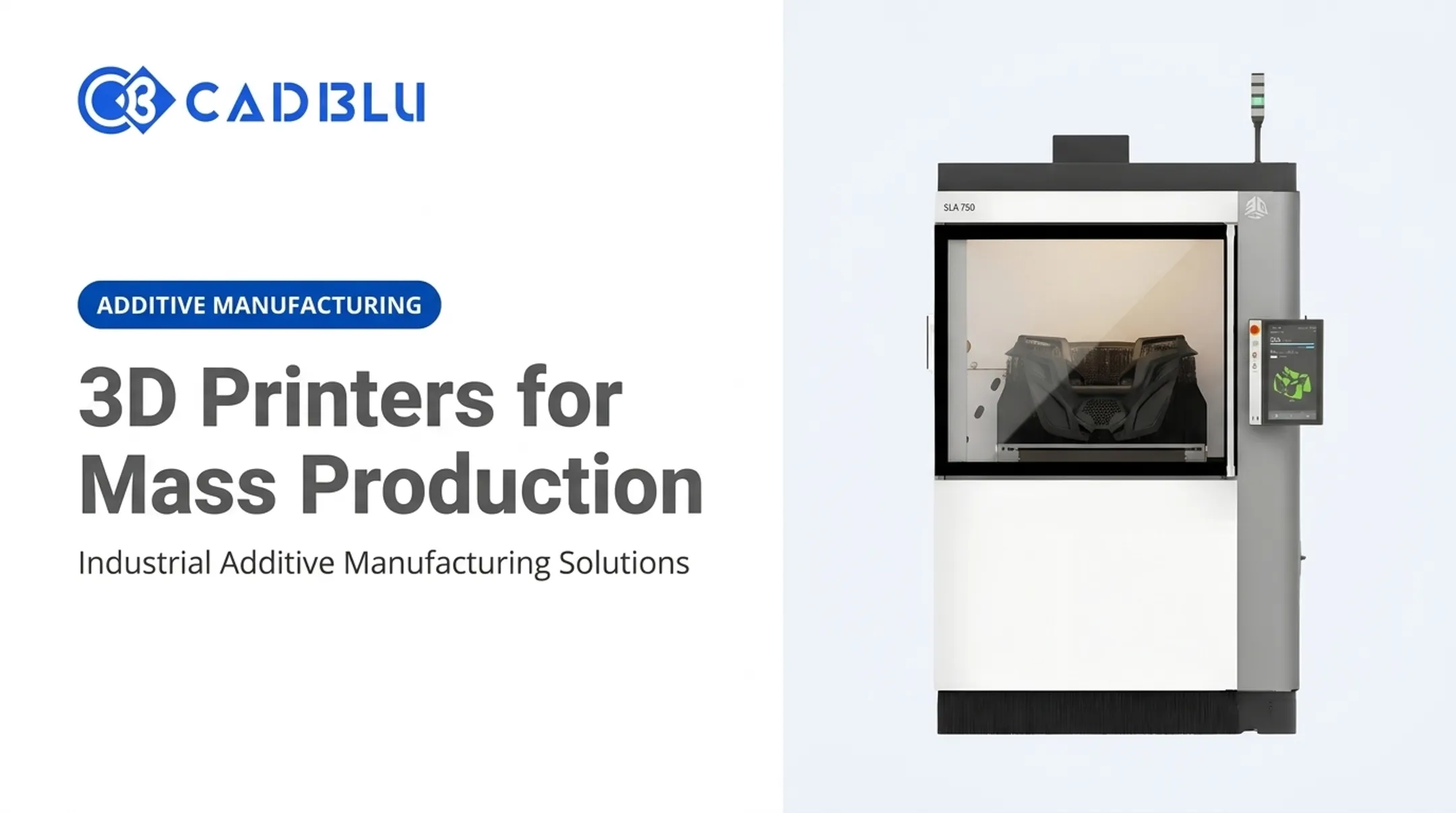
Production-grade hardware is a real capital line item. As a reference point, the ProJet MJP 300W Plus lists at $64,700, and the MJP 2500IC at $69,000—or about $1,432/month over 60 months—before materials, training, or facility prep.
This is where a full-service partner earns its value. CAD BLU helps manufacturers match commercial printers, materials, and software to real application requirements—not a one-size-fits-all stack.
That can mean turnkey setups for teams starting from scratch, partial upgrades for shops adding capacity, and OEM-trained support for install and repair. No single printer fits every job; the right answer depends on the part in front of you.
Making 3D Printing Part of Modern Manufacturing
The strongest additive manufacturing applications share common traits:
- Complex geometry
- Customization
- Low production volume
- Tight turnaround
- Supply-chain unpredictability
When one of those factors is in play, 3D printing usually earns its place on the shop floor.
Start small. Pick a fixture, a prototype, a casting pattern, or a spare part with clear, measurable success criteria. Before you scale, validate:
- Quality
- Cost
- Throughput
- Repeatability
That pilot tells you more than any spec sheet.
Ready to explore what fits your operation? CAD BLU can help you evaluate printers, materials, software, and support options — whether you need a complete turnkey additive manufacturing solution or a specific piece of the puzzle. Reach out to discuss your workflow.
Frequently Asked Questions
What is 3D printing manufacturing called?
It's commonly called additive manufacturing, since parts are built up layer by layer. This contrasts with subtractive manufacturing (removing material, like CNC machining) and formative manufacturing (shaping material, like injection molding).
What can an industrial 3D printer do?
Industrial printers produce prototypes, jigs and fixtures, casting patterns, tooling, on-demand spare parts, and customized components. Selected sectors also use them for direct end-use production, including aerospace, medical, and dental parts.
Which 3D printer is best for production?
There's no universal answer. The right printer depends on material requirements, part geometry, production volume, tolerance, finish, speed, and any certification or post-processing needs specific to your application.
How much does it usually cost to 3D print something?
Cost depends on material, machine time, part size, labor, post-processing, and quantity. Rather than relying on generic price ranges, calculate total cost per part for your specific application and equipment.
Which industry uses 3D printing most?
Adoption varies by application and data source, so no single industry holds a definitive lead. Major users include aerospace, automotive, medical, dental, industrial manufacturing, and jewelry.