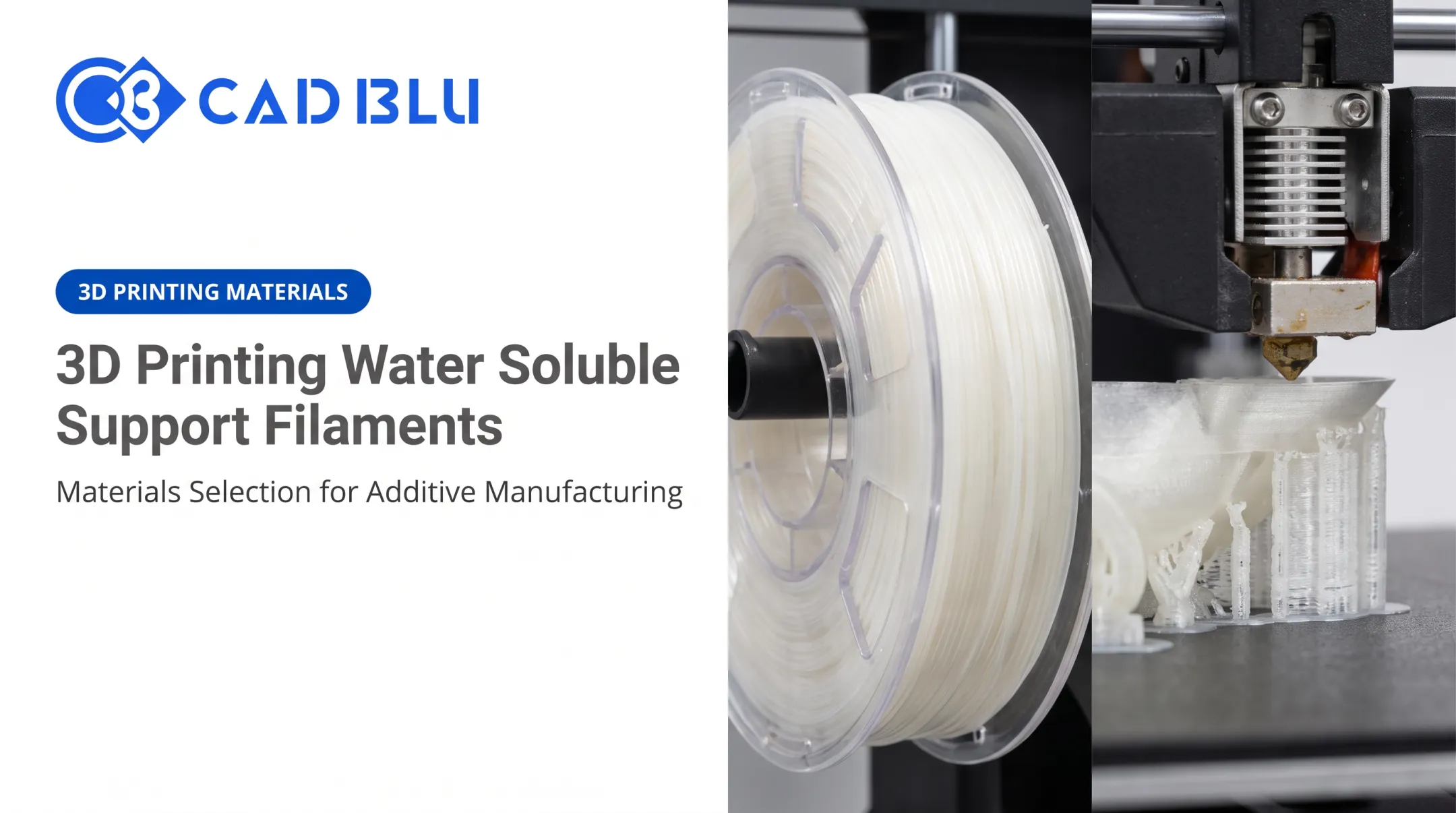
This guide focuses on FDM/FFF support materials, meaning filament-based printing. Resin printing (SLA/DLP) uses a different approach entirely, with thin resin support structures cured alongside the model and removed by hand or with alcohol rinses. We won't cover that process here.
Instead, we'll walk through the main support material types, how to match them to your model material and geometry, and why testing a combination before a complex print saves time, filament, and frustration.
Key Takeaways
- No single "best" support material: match the choice to your model material, printer, geometry, and finish needs
- Same-material, breakaway, soluble, and interface supports each solve different problems
- Storage and moisture control matter as much as slicer settings, especially for PVA
- Always test a new material pairing on a small calibration piece before running a full print
Understanding 3D Printer Support Materials
Support material is a temporary structure printed beneath overhangs, bridges, and other unsupported features. It holds the geometry in place while the primary model builds layer by layer, then gets removed once printing finishes.
Two ideas get mixed up constantly:
- Support material — the actual filament being extruded (PLA, PVA, breakaway polymer, and so on)
- Support structure — the pattern the slicer generates, whether tree, linear, organic, lattice, or grid
You can run the same structure pattern with different materials, or the same material with different structures. They're independent variables.
What Makes a Support Material "Good"
A support material needs to do a few things well:
- Adhere firmly enough to stay put during printing
- Separate predictably afterward, without excessive force
- Stay thermally compatible so the model doesn't warp
- Leave minimal marking on the finished surface
The model material shapes this equation heavily. Pair supports and models with similar chemical or thermal properties, and you often get a bond that's tough to break cleanly, exactly the opposite of what you want when easy removal matters.
Printer hardware sets the ceiling on your options too. A single-extruder machine can only print one material, so same-material supports are your default. Dual-extrusion or multi-material systems make soluble or breakaway options available, provided the printer handles material switching reliably and has compatible nozzle and chamber setups.
Stratasys, for example, pairs its SR-30 and SR-35 soluble supports with specific model materials such as ABS-M30, ASA, and ABS-ESD7, not every material in its catalog. Stratasys's FDM support materials documentation spells out these pairings explicitly. Compatibility is specific to the product line, not universal.

Main Types of 3D Printer Support Materials
Same-Material or Build-Material Supports
On a single-extruder printer, the slicer generates supports from the same filament loaded for the model. That remains the default for most single-extruder workflows.
Advantages:
- No second material system to buy or manage
- Broad availability across every filament type
- Zero compatibility guesswork
Disadvantages:
- Manual removal only, usually pliers or a hobby knife
- Contact marks where supports touched the surface
- Risk of damaging delicate features during removal
Same-material supports work best for prototypes, simple geometries, and prints where a bit of post-processing is acceptable. If you're checking fit and function rather than finishing a presentation or production part, this is the practical default.
Breakaway Support Materials
Breakaway supports are a separate filament engineered to bond just enough during printing, then snap or peel away by hand afterward.
Polymaker's PolySupport, for example, is built specifically for PLA-based filaments and forms a bond that releases cleanly with hand pressure. On the higher-temperature end, Raise3D's PA12 CF Support targets carbon-fiber-reinforced nylon, where standard breakaway materials would either fail to bond or bond too aggressively.
Compared to same-material supports, breakaway options usually deliver:
- Faster removal
- Better dimensional preservation on the model
- Cleaner surface finish where contact occurred
Compatibility varies by product. Check the manufacturer's documentation for confirmed model-material pairings before you commit a breakaway filament to a specific build material.
Soluble Support Materials
Water-soluble supports, most commonly PVA, dissolve away in water rather than requiring physical removal. That makes them the only realistic option for internal cavities, channels, and undercuts you simply can't reach with a tool.
Key trade-offs include:
- Requires dual-extrusion or multi-material hardware
- Dissolution can take anywhere from a few hours to over a dozen, depending on part thickness and water temperature
- Highly moisture-sensitive filament that degrades quickly if stored improperly
- Added post-processing time and some material waste
PVA in particular is notoriously hygroscopic. Manufacturer guidance generally calls for:
- Storage below 50% relative humidity
- Sealed packaging with desiccant
- Drying before use if the spool has been exposed to air
Skip those steps and you'll see stringing, poor extrusion, or supports that won't dissolve evenly.
Before running a soluble-support job, confirm the manufacturer's recommended model-material pairing, water temperature, and disposal guidance. PVA waste needs handling in line with local regulations rather than just rinsed down any drain.

Support-Interface and Specialty Materials
Some workflows use a standard support material for the bulk of the structure, then switch to an easier-to-remove material only where it touches the model. Slicers like Cura let you assign a dedicated support interface, roof, or floor extruder for this setup.
You get specialty-interface surface quality without printing the entire support structure from the premium material. Benefits include:
- Lower material cost versus full specialty supports
- Cleaner contact surfaces on the finished part
- Options for flexible supports and engineering polymers such as nylon or PC
Confirm printer and material-system compatibility before you rely on this approach for a production run.
Choosing the Right Support Material for the Print
Match the Support to the Model Material
PLA, PETG, ABS, ASA, nylon, and flexible materials all behave differently at the support interface because of variations in shrinkage, adhesion chemistry, and thermal response.
PETG deserves a specific callout. Prusa's testing found that PETG printed successfully with PLA supports, and PLA printed successfully with PETG supports, when the slicer's material interaction was set to "soluble" even though PVA wasn't involved.
That's a useful data point, not a universal guarantee. Prusa's combining-materials documentation notes that results depend on print orientation, interface settings, filament brand, and machine calibration. Separately, Bambu Lab states that PVA is not compatible as a PETG support—so "PETG" and "PVA" are not interchangeable variables here.
The real evaluation criterion isn't just "does it stick during printing." It's whether the support releases cleanly afterward without tearing, scarring, or warping the finished part.
Match the Support to the Geometry
- Large, heavy, or tall overhangs: Prefer same-material or structurally robust supports when stability matters more than easy removal
- Detailed surfaces and figurines: Use tree or organic supports to minimize contact points
- Internal cavities and channels: Choose soluble support when geometry is inaccessible—if your printer and model material allow it
Match the Support to Finish and Workflow
Different applications weight priorities differently:
| Application | Priority |
|---|---|
| Visual/display models | Surface finish |
| Dimensional prototypes | Accuracy over cost |
| Functional parts | Mechanical stability |
| Casting patterns | Clean burnout, minimal residue |
| Dental models | Precision and repeatability |
Once you know the priority, choose your removal method accordingly: manual removal for speed and simplicity, dissolution for inaccessible geometry, or an interface layer strategy when both surface quality and labor time matter.
A simple decision sequence works for most jobs:
- Identify the model material
- Check printer and material-system compatibility
- Assess geometry and support accessibility
- Choose the removal method
- Validate the combination with a test print

Test Compatibility Before a Critical Print
Print a small overhang, bridge, or interface test model before committing filament and print time to the real thing. Check adhesion, separation force, surface marking, and any warping.
Document what worked so a one-off success becomes a repeatable profile:
- Material brand and storage condition
- Nozzle setup and support pattern
- Removal result and surface quality
When settings conflict, manufacturer technical data sheets take priority over generalized profiles online—especially before you lock in a material, geometry, and removal combo for production.
Support Structure Types and Their Relationship to Material
Tree and Organic Supports
Branching structures reduce contact with the model, which matters for scattered overhangs, curved surfaces, and figurines. Prusa's organic support implementation was built specifically to address earlier grid-support drawbacks: heavy filament use, long print times, and visible scarring. According to Prusa's release notes, the organic algorithm produces branches that are more stable, easier to remove, and less likely to mark the surface.
The trade-off is slicer computation time. Tree and organic structures take longer to calculate, and heavy sections may still need reinforced branches to avoid collapse mid-print.
They pair best with breakaway or same-material supports when you want minimal scarring:
- Less interface area means cleaner cosmetic faces after removal
- Lower filament use than grids on sparse overhangs
- Still need a compatible interface or Z-gap so branches snap cleanly
- Soluble filament is optional here—contact is already limited
Linear, Grid, and Lattice Supports
These are the conventional choice for broad, flat, tall, or heavy overhangs where predictable, uniform support matters more than minimizing contact area.
- Use more material and create larger contact area than tree structures
- Deliver more predictable stability under heavy loads
- Need simpler slicer setup in most workflows
Support density, interface layers, contact distance, and XY separation control how easily these come off and what surface quality remains. Set those values from your printer and material maker’s guidance—not a generic forum number.
Dense grids and lattices work especially well with soluble support materials:
- Full contact holds large flat overhangs without sag
- Dissolvable interfaces protect finish where breakaway would scar
- Higher density improves stability but increases dissolve time and material cost
- Breakaway filament on grids needs careful Z-gap and interface layers to stay removable
Manual Support Placement and Support Blockers
Automatic tree or grid patterns still miss production constraints. Manually adding or blocking supports gives control the algorithm can’t—protect visible faces, cut material use, and keep structures out of cavities you can’t reach or flush.
Use manual control when material choice makes access critical:
- Block supports inside channels if you run breakaway filament you can’t extract
- Keep soluble supports only where dissolution fluid can reach
- Reinforce load-bearing overhangs regardless of automatic sparse trees
- Clear cosmetic exteriors so interface marks never hit show surfaces
Always review the sliced preview layer by layer before printing. Confirm every real overhang is supported and every support volume stays reachable for mechanical removal or solvent bath.

Practical Setup, Removal, and Troubleshooting
Slicer settings you'll actually touch include support density, interface layers, contact/Z distance, XY separation, and placement mode. Change one variable at a time when testing—otherwise you won't know what fixed the problem.
Common failures and likely causes:
- Supports fuse to the model — interface settings too aggressive, or incompatible material pairing
- Supports detach mid-print — density too low or adhesion insufficient for the overhang size
- Surfaces sag above supports — support spacing too wide, or Z-distance too large
- Soluble supports won't dissolve — water too cold, insufficient soak time, or wrong material pairing
- Model warps near the support region — thermal mismatch between materials
Removal guidance:
- Breakaway supports: pliers or flush cutters, working slowly near delicate features
- Same-material supports: controlled warming only where the manufacturer confirms it's safe
- Soluble supports: follow manufacturer water temperature and soak-time instructions exactly
Removal gets easier when the filament is still in good condition. Storage matters more than most people expect: hygroscopic materials like PVA and many engineering filaments need sealed storage with desiccant, kept at manufacturer-specified humidity and temperature ranges. A spool left open on a shelf for a week can ruin an otherwise perfect print setup.
Interface problems are not always a material fault. If multi-material switching produces inconsistent interfaces, check nozzle cleanliness, purge behavior, extrusion alignment, and chamber conditions first.
How CAD BLU Can Help With Support-Material Selection
Choosing a support material rarely happens in isolation. It's tied to your printer's capabilities, your primary material, and what the finished part needs to do.
CAD BLU works as a full-service additive manufacturing partner, helping organizations evaluate printers, materials, software, and workflow requirements together rather than one at a time.
The materials portfolio spans plastic, elastomer, composite, wax, and biocompatible options. Experience across jewelry, dental, medical, aerospace, automotive, industrial, and education applications helps match the right combination to your specific use case.
That support extends beyond the initial sale:
- Installation and workflow optimization
- OEM-trained technician support for repairs
- Guidance for businesses scaling from occasional prototypes to repeatable production runs
If you're weighing a printer and support-material workflow against your model geometry, primary material, and finish requirements, contact CAD BLU to talk through the options before you commit.
Frequently Asked Questions
What is support material in 3D printing?
It's temporary material printed to hold up overhangs, bridges, cavities, and other unsupported features during a build. Once printing finishes, it's removed or dissolved so only the model remains.
What is the best material for 3D printing supports?
It depends on your model material, printer setup, geometry, and required finish. Same-material, breakaway, soluble, and interface supports each solve different problems.
Is PETG a good support material for PLA?
PETG can work with PLA in some multi-material setups, but clean separation depends on the filaments, printer, interface settings, and orientation. Test the pair on a small piece before a critical print.
Can I print with PLA support material?
Yes. PLA works as same-material support on single-extruder printers, or as a dedicated support in compatible multi-material workflows. Expect manual removal and some surface marking either way.
What is the best 3D printer filament for strength?
Part strength comes from the model material, load direction, layer adhesion, and print conditions—not the support. Nylon, composites, and ABS/ASA are common high-strength model options; choose supports for clean removal and surface quality.