Many buyers struggle with this decision because manufacturers market every machine as fast, precise, and versatile. In reality, each process family trades one advantage for another. A dental lab needs different capabilities than a jewelry caster or an aerospace supplier.
This guide breaks down the major 3D printing technologies, where each one fits, and what questions to ask before you invest in equipment, materials, or a full production workflow.
Key Takeaways
- Printer types are classified by how they deposit, cure, fuse, or bind material—use that process map to narrow options fast
- Match the job: FDM/FFF for accessible prototyping, resin for fine detail, powder and metal for production-grade parts
- Select on part performance, volume, size, and post-processing—not sticker price alone
- Budget total cost of ownership: materials, software, labor, maintenance, and support
- Evaluate the entire workflow and available technical support before committing to a technology
What Is 3D Printing and Why Is It Important?
3D printing, formally called additive manufacturing, builds a physical object one layer at a time from a digital 3D model. The ASTM F3177-21 standard defines it as the successive addition of material to create geometry, the opposite of cutting material away.
The typical workflow looks like this:
- Create or scan a CAD model of the part
- Prepare the file in slicing or build-preparation software (orientation, supports, settings)
- Print the part layer by layer
- Complete post-processing: washing, curing, support removal, or finishing
Additive vs. Subtractive Manufacturing
Subtractive manufacturing starts with a block of stock material and removes what you don't need through cutting, drilling, or grinding. Additive manufacturing only adds what's required.
According to Formlabs, this distinction matters because additive processes can reduce tooling requirements and support complex geometries that would be costly or impossible to machine. Subtractive methods still win for large production batches where speed per part matters more than design freedom.
That design freedom is why 3D printing shows up in prototyping, dentistry, jewelry casting, investment casting, aerospace, automotive, healthcare, and education.
Benefits still vary by technology. A resin printer that produces stunning detail isn't automatically stronger, cheaper, or more sustainable than a filament machine. Each process has its own strengths, and claiming otherwise sets buyers up for disappointment.
Different Types of 3D Printers
Every 3D printing process falls into one of several families. Each uses different raw materials, equipment, and post-processing steps, and each comes with its own cost structure.

Material Extrusion: FDM and FFF
Material extrusion machines push heated thermoplastic filament through a nozzle, depositing it layer by layer. FDM (Fused Deposition Modeling) and FFF (Fused Filament Fabrication) describe essentially the same process; FDM is a trademarked term, while FFF is the generic label used by open-source and third-party manufacturers.
Common materials include:
- PLA: easy to print, good for concept models
- ABS: tougher, used for functional prototypes and end-use parts
- PETG: balances strength and printability
- Nylon: strength, toughness, and impact resistance
- TPU: flexible parts like hoses and gaskets
- Carbon- or glass-fiber-reinforced filaments: added stiffness
Stratasys reports that Nylon-CF10, reinforced with 10% chopped carbon fiber, is 67% stronger and 190% stiffer than standard nylon. Confirm current material compatibility against manufacturer specs before committing to a build.
Strengths:
- Accessible pricing and straightforward operation
- Wide material availability
- Large-format options for bigger parts
- Good for prototypes, fixtures, and educational models
Limitations:
- Visible layer lines affect surface finish
- Anisotropic strength (weaker between layers than within them)
- Warping risk with certain materials
- Support structures needed for overhangs
- Calibration or enclosure control often required
FDM/FFF fits beginners, schools, makerspaces, and small businesses producing rapid concept models or lower-volume functional parts.
Machines like the UltiMaker S8 (layer resolution from 60 to 400 microns, 330 × 240 × 300 mm build volume) handle prototypes, jigs, and end-use parts well. For composite materials or tighter tolerances, professional enclosed systems with reinforced feeders are the better fit.
Vat Photopolymerization: SLA, DLP, and MSLA
This family cures liquid photopolymer resin using light. The three common approaches differ in how they expose each layer:
- SLA scans a laser point-by-point across the resin surface
- DLP projects an entire cross-section at once using a projector and micromirror array
- MSLA uses an LED array shining through an LCD mask
DLP and MSLA expose a full layer at once, so they often print faster than point-scanning SLA. According to Formlabs, resolution and speed depend on projector behavior, LCD pixel size, light uniformity, and the resin formulation itself, not just the technology label.
What resin printing does well:
- Fine detail and smooth surfaces
- Accurate small features
- Jewelry patterns, dental models, medical models, and miniatures
- Presentation-quality prototypes
3D Systems' ProJet 6000 and 7000 SLA printers, for example, hit 4000 DPI resolution with fine-feature scanning down to 75 microns, useful for intricate jewelry patterns and dental applications.
Trade-offs to plan for:
- Liquid resin requires careful handling, ventilation, and PPE
- Support removal, washing, and curing add post-processing steps
- Resin storage and disposal need dedicated procedures
- Fine detail does not equal impact resistance or outdoor durability
Regulated applications add another layer of complexity. If you're printing dental or medical devices, the FDA's 2023 ISO 10993-1 guidance requires risk-based biological evaluation, not just a resin labeled "biocompatible."
Formlabs, for instance, received FDA 510(k) clearance for one specific dental resin used in temporary crowns and bridges; that clearance does not extend to every resin in its catalog. Always verify current biocompatible, dental, or castable-resin requirements for your specific application before assuming any resin qualifies.

Powder Bed Fusion: SLS, MJF, and Metal Systems
Powder bed fusion selectively fuses or sinters powdered material layer by layer. The surrounding unfused powder acts as built-in support, which often eliminates dedicated support structures—a real advantage for complex geometries.
Polymer powder systems (SLS and MJF) work well for:
- Strong, functional prototypes
- Low-volume production runs
- Custom parts and housings
- Medical devices and manufacturing aids
3D Systems' SLS 380, for example, is rated for throughput up to 2.7 liters per hour with closed-loop controls and automated material handling. The ProX SLS 6100 reports 95% material efficiency and a 20% lower total cost of operations versus similar machines, per the manufacturer.
Metal powder bed fusion (laser powder bed fusion, SLM, and DMLS) targets complex, high-value metal parts. EOS identifies this category as suited for rocket engine components and medical implants, where geometric complexity justifies the equipment investment.
Strengths across powder bed systems:
- Functional material performance close to traditionally manufactured parts
- Design freedom for complex internal geometries
- Batch production potential
- Reduced support requirements
Limitations to weigh:
- Powder handling and depowdering require training
- Cooling time adds to overall cycle time
- Surface finishing, heat treatment, or machining often needed afterward
- High equipment and facility requirements
- Trained operators are essential, not optional
Throughput and material properties vary widely by machine and manufacturer, so rely on current data sheets rather than industry averages.
Material Jetting
Material jetting works like an inkjet printer, but instead of ink it deposits tiny droplets of photopolymer or wax and cures them with UV light. Some systems, like Stratasys PolyJet, print multiple rigid, flexible, and even full-color materials in a single build.
Where it shines:
- Highly realistic prototypes
- Anatomical or medical models
- Visual design reviews
- Fit studies
- Multi-material demonstrations
3D Systems' MultiJet platform, for instance, achieves layer thickness as low as 16 microns with selectable speed and resolution settings, suitable for investment-casting patterns, molds, jigs, and fixtures. The ProJet MJP 2500W, a wax-based system, is positioned specifically for jewelry wax patterns and direct metal casting.
Trade-offs:
- Higher equipment and material costs than filament or basic resin systems
- Support material removal adds a post-processing step
- Long-term mechanical performance varies by photopolymer formulation
- Heat and UV exposure can affect some printed materials over time
UV-aging and mechanical life differ by resin formulation, so match the manufacturer's data sheet to your application.
Binder Jetting
Binder jetting deposits a liquid binder onto layers of powder, forming a "green" part that requires further processing (curing, debinding, or sintering) to reach final strength.
Common applications:
- Sand molds and cores for metal casting
- Full-color visual models
- Metal components (after sintering)
- Production-oriented batch work
According to Desktop Metal, metal binder jetting typically sees 15-20% linear shrinkage during sintering. Uneven shrinkage can cause warping or out-of-tolerance parts, though software can compensate with negative offsets built into the original design.
Benefits:
- Low thermal stress during the build (no melting involved)
- Surrounding powder supports complex geometries
- Potential throughput advantages for batch work
Limitations:
- Shrinkage control requires careful process development
- Furnace access needed for sintering
- Surface finish typically needs secondary work
- Material compatibility is narrower than some other processes
Metal binder jetting and sand-mold binder jetting are not interchangeable workflows. One is a materials-qualification process; the other is a foundry tooling application.

Directed Energy Deposition, Bound Metal, and Sheet Lamination
These technologies serve specialized industrial and repair applications rather than general-purpose printing.
Directed Energy Deposition (DED) melts metal wire or powder into a melt pool using a laser, electron beam, or arc. Sciaky's EBAM process, for example, builds large parts (over 19 feet in length) inside a vacuum chamber and claims up to 80% faster production than traditional methods for certain use cases. DED suits large components, repairs, cladding, and hybrid manufacturing where you add material to an existing part.
Bound metal extrusion uses metal-powder-filled filament, printed like FDM, then debound and sintered into solid metal. Markforged's process specifies roughly 20% scale-up during printing and 17% final shrinkage, so designers must build in compensation from the start.
Sheet lamination bonds and cuts layers of sheet material. Fabrisonic's ultrasonic additive manufacturing (UAM) process, for instance, bonds metal foil through vibration rather than heat, allowing it to join dissimilar metals and even embed sensors inside a solid part.
All three need specialized equipment, debinding furnaces, vacuum chambers, or CNC integration. They are industrial workflows, not desktop starter systems.
Choosing among these families depends on part geometry, material performance, throughput, and post-processing capacity. CAD BLU works with dental labs, jewelry manufacturers, investment casting shops, and industrial teams to match the right printer, materials, and workflow support to each application.
How to Choose the Right Type of 3D Printer
The right printer isn't the newest or most heavily advertised one. It's the one that matches your part, your volume, and your workflow.
Match the Printer to the Application
Start by mapping your need to a likely process family:
- FDM/FFF: accessible prototypes, fixtures, and educational models
- Resin (SLA/DLP/MSLA): fine detail, smooth surfaces, jewelry patterns, and dental models
- Polymer powder (SLS/MJF): strong, complex functional parts
- Material jetting: visual, multi-material, or full-color models
- Metal systems: demanding aerospace, medical, or industrial components
Shops in dental, jewelry, investment casting, medical, and industrial tooling use these same process families day to day. If your need is infrequent, oversized, or material-specific, a service bureau can be more practical than buying a full-time machine.
Evaluate Material and Part-Performance Requirements
Before choosing a process, compare what the part actually needs against what each technology supports:
- Required strength and stiffness
- Flexibility or rigidity
- Heat and chemical resistance
- Biocompatibility (for medical or dental use)
- Appearance and surface finish
- Watertightness
- Expected service life
Printer type is only one variable. Material formulation, print orientation, part geometry, post-processing, and quality-control procedures all affect the final result. Verify technical data from material data sheets and any relevant application standards before making production or medical claims about a part.
Consider Size, Volume, Speed, and Repeatability
Build volume caps your maximum part size, but it's rarely the biggest factor in overall throughput. Nesting capacity, batch size, and post-processing time often matter more than a printer's headline speed rating.
A few distinctions worth making:
- One-off prototyping tolerates more variability than recurring production
- As usage increases, repeatability and uptime matter more than raw speed
- Automation and workflow integration become critical at scale
Rather than trusting advertised resolution figures, test a representative part on the actual machine you're considering. Numbers on a spec sheet don't always translate to your specific geometry.
Calculate Total Cost of Ownership and Support Needs
The printer's price tag is just the starting point. A full cost picture includes:
- Materials and consumables
- Software licenses
- Ventilation and post-processing equipment
- Facility requirements
- Maintenance and replacement parts
- Labor and training
- Downtime during service
Research current purchase and operating costs for your specific technology rather than relying on generic industry price ranges ; they vary widely by process and manufacturer.
This is where a lot of buyers get stuck. CAD BLU helps businesses evaluate commercial printers, materials, software, installation, and workflow optimization as a complete additive manufacturing setup, with OEM-trained repair support and 24-hour availability.

Before you buy, confirm:
- Manufacturer support terms and warranty coverage
- Technician qualifications and spare-parts access
- Fit with your existing CAD or scanning workflow
What to Check Before Finalizing a Printer Type
A few final checks can save you from an expensive mistake:
- Don't choose based on familiarity or hobbyist popularity alone. Confirm the technology actually meets your part's functional and production requirements.
- Don't compare specs across process families as if they're equivalent. "Resolution," "speed," and "accuracy" can mean different things depending on how each manufacturer measures them.
- Account for the full facility picture. Post-processing, ventilation, safety equipment, powder or resin handling, and waste management all add real cost.
- Test representative parts before you buy. Review material data sheets, quality-control procedures, and current manufacturer documentation.
- Plan for growth. Consider future material needs, higher production volume, automation, multi-machine operation, and software integration.
Conclusion
3D printers differ fundamentally in how they process material. Material extrusion, vat photopolymerization, powder bed fusion, material jetting, binder jetting, directed energy deposition, bound metal extrusion, and sheet lamination each solve different problems.
Every type involves trade-offs among detail, strength, speed, material options, part size, post-processing, cost, safety, and the operator skill required to run it well. None of them wins on every metric.
Define your application first. Then evaluate the complete workflow: equipment, materials, software, and support. Make that assessment before you select anything.
Frequently Asked Questions
What are the different types of 3D printers?
Common named systems include FDM/FFF, SLA/DLP, SLS/MJF, material jetting, binder jetting, directed energy deposition, and sheet lamination. These map to broader process families—material extrusion, vat photopolymerization, powder bed fusion, and related methods—each suited to different materials and applications.
What type of 3D printing is most common?
FDM/FFF is the most widely used technology for beginner, educational, and general desktop applications due to its accessibility and low cost. Other technologies, like SLA or SLS, are more common in specific professional and industrial sectors.
Which is better, FDM or SLA?
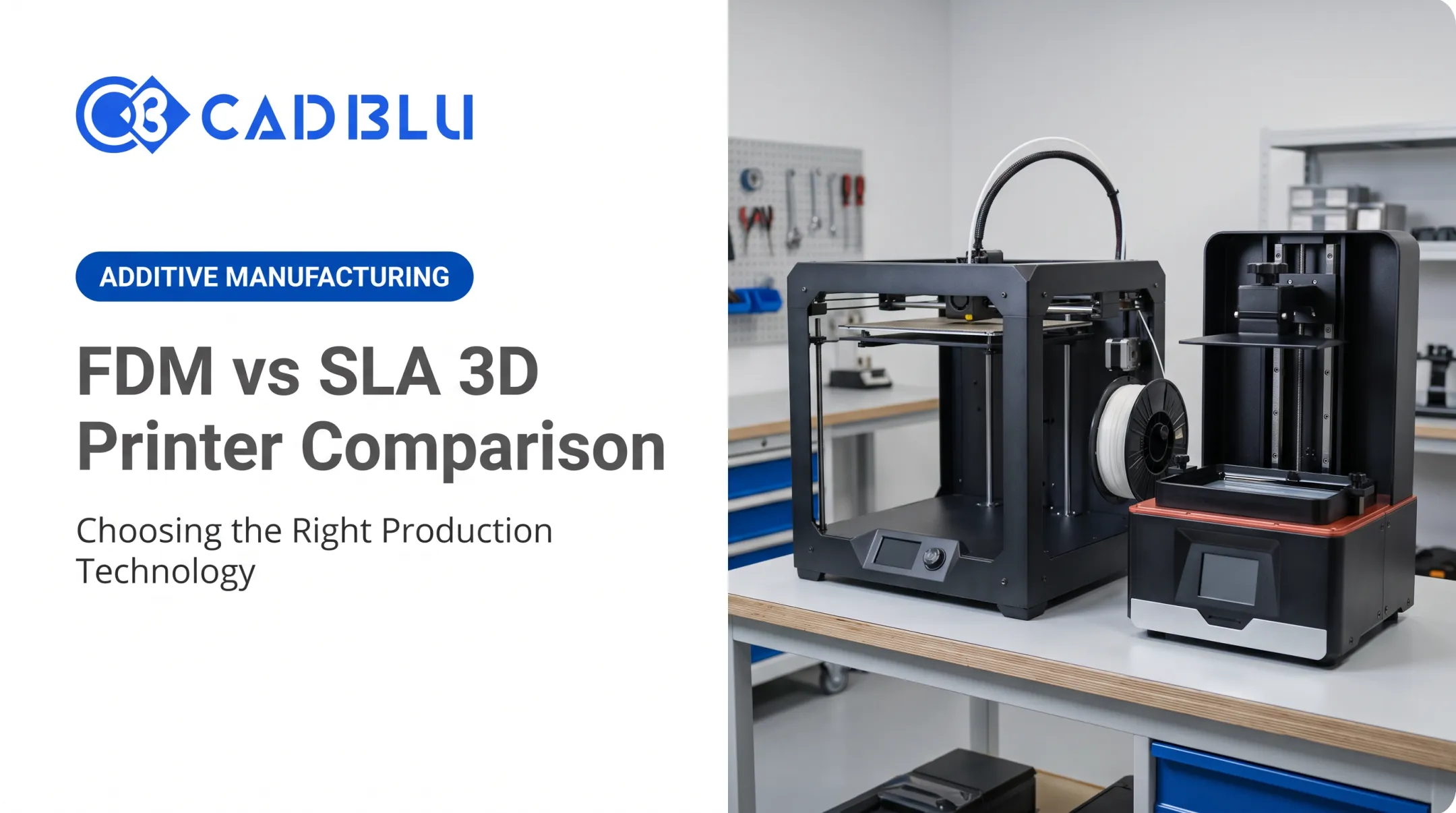
FDM offers accessible materials, larger parts, and broader functional versatility, while SLA delivers finer detail and smoother surface finish. Choose FDM for size, cost, and durable thermoplastics; choose SLA when surface quality and fine features matter most.
What is the most recent technology for 3D printing?
Recent progress centers on automation, multi-material printing, faster vat photopolymerization, and hybrid manufacturing workflows—not one single “newest” process. Gains show up as higher throughput, better reliability, and tighter integration with machining and finishing.
What information does a 3D printer need to run a job?
A printer needs a compatible digital 3D model prepared in CAD, then sliced or build-prepped for that machine. The job file carries material choice, orientation, supports, and process-specific parameters the printer executes.
How much does it cost to run a 3D printer for 24 hours?
Cost depends on electricity use, technology type, material consumption, labor, post-processing, and maintenance needs. Calculate the total operating cost for your specific machine and print job rather than relying on generic estimates.