Choosing the right material and process requires balancing part requirements against strength, weight, heat resistance, cost, and printability. Get it right, and you can produce custom tooling, jigs, fixtures, and even end-use parts that rival machined components. Get it wrong, and you’re left with failed prints and expensive material waste.
This guide provides a clear path forward. We’ll explore the types of composite materials available, how the printing processes work, and the criteria you should use to select the right setup.
Key Takeaways
- Performance is a System: A composite part's strength depends on the matrix, the reinforcement, fiber orientation, and the printer's capabilities.
- Match Material to Load: Use carbon fiber for stiffness, fiberglass for balanced performance, and aramid (Kevlar) for toughness and impact resistance.
- Chopped vs. Continuous Fiber: Chopped fibers offer a general boost in properties and easier printing, while continuous fibers provide targeted, directional strength for demanding applications.
- Hardware Matters: Printing composites successfully requires specific features like hardened nozzles, temperature-controlled chambers, and proper material handling.
What Types of Composite Materials Are Used in 3D Printing?
A composite material pairs a matrix (the base plastic) with a reinforcement (fibers or particles). The matrix shapes the part and binds layers together; the reinforcement adds stiffness, strength, or heat resistance.
Metal- and ceramic-matrix composites exist, but polymer-matrix composites are the practical choice for most filament-based 3D printing.
Common Matrix and Reinforcement Materials
The matrix material dictates chemical resistance, temperature performance, and overall flexibility. Common choices include:
- Nylon: Tough, durable workhorse for functional parts
- ABS: Solid mechanical properties; acetone-smoothable
- PLA: Easy to print, with lower heat and chemical resistance
- PETG: Balanced strength, temperature resistance, and printability
- PEEK/PEKK: Exceptional strength and heat/chemical resistance; need high-temperature printers
Reinforcements are added to these base plastics to create composites. The most common types are:
- Carbon fiber: Maximum stiffness and strength-to-weight; excellent for precision tooling, but abrasive to nozzles and extruders
- Fiberglass: Strong, durable, and more cost-effective than carbon fiber, with a clear jump in mechanical performance over base plastic
- Aramid (Kevlar): Outstanding toughness for parts that take sudden shocks or repeated impacts without fracturing
Chopped Fiber vs. Continuous Fiber Composites
How fibers sit in the matrix matters as much as which fiber you choose.
Chopped-fiber composites mix short strands (typically under 1 mm) into the thermoplastic filament. Those fibers end up dispersed throughout the printed part.
- Pros: Printable on many FFF machines with a hardened nozzle; boosts stiffness and heat deflection over the base plastic
- Cons: Non-directional reinforcement—stronger overall, but not as targeted as continuous fiber
Chopped carbon-filled nylon can reach an HDT around 145°C, versus roughly 41°C for standard nylon—a clear gain for functional parts near heat sources.
Continuous-fiber composites need specialized printers with a second nozzle that lays an unbroken fiber strand into the part during the build.
- Pros: Directional strength that can approach aluminum; continuous carbon fiber tensile modulus can reach about 60 GPa vs. ~1.7 GPa for base nylon
- Cons: Needs dedicated hardware/software and more involved design to place fibers along load paths
Match the composite to load direction, operating environment, and geometry—that combination, not a single “strongest” filament, determines real-world performance.

How Does Composite 3D Printing Work?
The workflow for composite printing is similar to standard FFF/FDM but with a few critical extra steps: design for reinforcement, specialized slicing, and rigorous quality control.
Printing Technologies for Composites
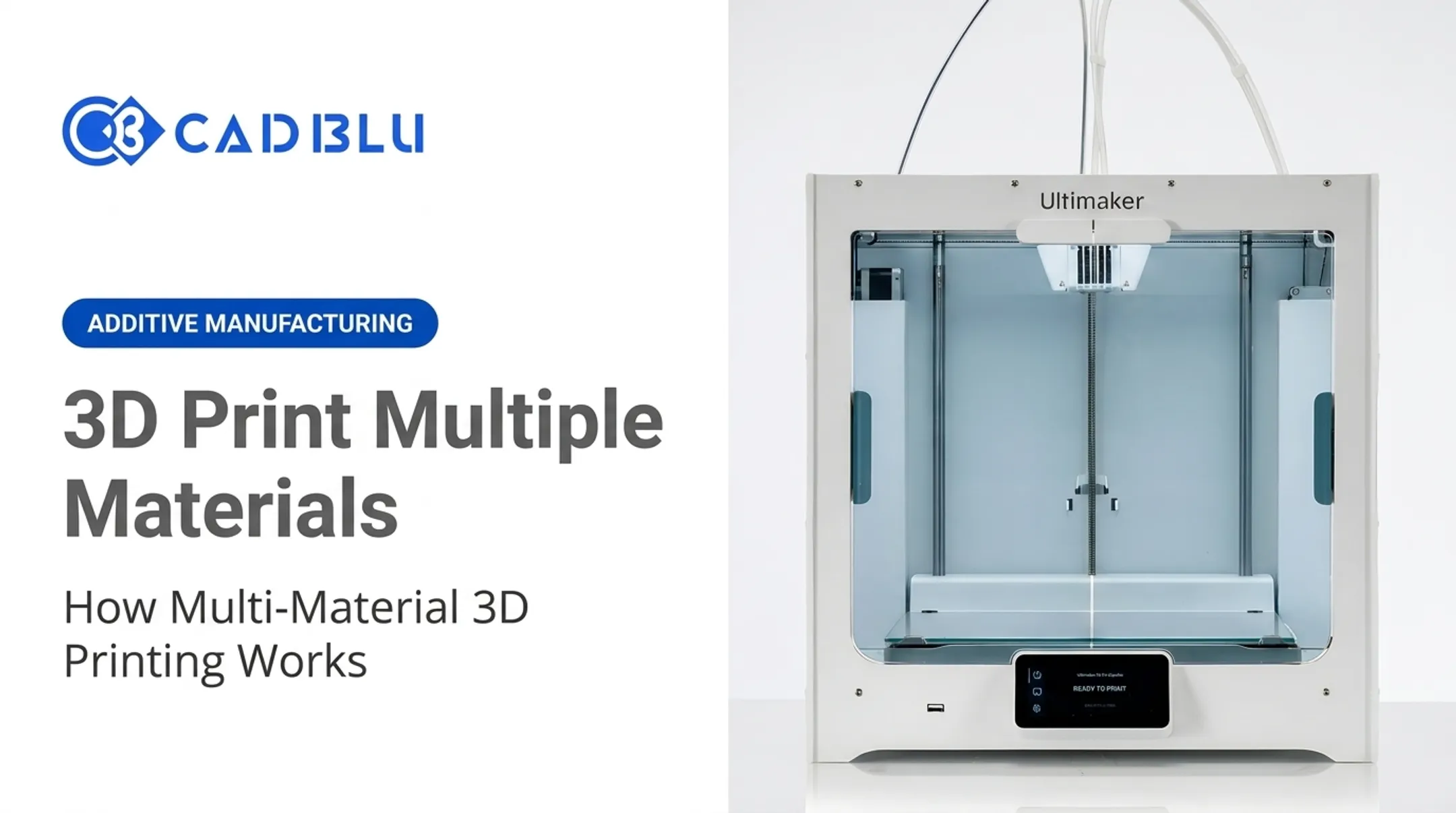
- FFF/FDM with Fiber-Filled Filaments: The most accessible route. A standard FFF printer—such as an Ultimaker S5 with a wear-resistant print core (Ultimaker Print Core CC Red 0.6)—can run chopped carbon fiber or glass-fiber filaments.
- Continuous Fiber Fabrication (CFF): A dual-nozzle process pioneered by Markforged. One nozzle extrudes the plastic matrix (such as nylon); the second lays a continuous strand of carbon fiber, fiberglass, or Kevlar.
- Selective Laser Sintering (SLS): Powder-bed fusion also works with composites. BASF’s Ultrasint PA11 Black CF, for example, is a carbon-fiber-filled powder that yields strong, lightweight parts.
Even with fiber-filled powders, properties stay anisotropic (direction-dependent). The Ultrasint PA11 Black CF datasheet lists a tensile modulus of 5900 MPa in X versus only 2500 MPa in Z.
Key Printer Features and Parameters
Choosing a process is only half the decision. Not every 3D printer can run composites successfully—the hardware has to match the material.
- Hardened Nozzles: Abrasive carbon and glass fibers will quickly destroy a standard brass nozzle. A hardened steel, ruby, or ceramic nozzle is mandatory.
- Controlled Build Environment: An enclosed and heated build chamber is crucial for high-performance materials like ABS, Nylon, and PEEK to prevent warping and ensure strong layer adhesion.
- Material Drying and Storage: Many composite bases—especially nylon—are hygroscopic and absorb moisture from the air. Wet filament causes voids, weak parts, and poor surface finish, so a dedicated dryer or humidity-controlled storage (such as the UltiMaker S8 Pro Bundle) is essential.
- Robust Extrusion System: The printer must have an extruder and motion system capable of handling stiffer, more demanding filaments without slipping or grinding.
When you print, start with the manufacturer’s recommended profiles for temperature, speed, and layer height.
Before a production run, print a small test coupon and inspect it for voids or delamination. That quick check can spare you hours lost on a large failed part.
How Do You Choose Composite Materials and a 3D Printer?
Focus on building a complete, validated workflow that meets your part's specific functional requirements. Don't start with a material; start with the problem you need to solve.
Start with Functional Requirements
Before looking at any datasheets, define the job your part needs to do. Ask these questions:
- Loads: What forces will the part experience? Are they constant, cyclical, or impact? In which direction(s)?
- Environment: What is the operating temperature? Will it be exposed to chemicals, moisture, or UV radiation?
- Performance: Does it need to be stiff and resist bending, or tough and absorb impact? Are there specific electrical (conductive or insulative) or wear-resistance needs?
- Accuracy: What dimensional tolerances and surface finish are required?
Match Reinforcement and Matrix to the Goal
With your requirements defined, you can select the right composite combination.
- Choose the Reinforcement:
- Stiffness & Low Weight: Continuous carbon fiber is the clear winner for parts like lightweight robotic end-effectors or alignment fixtures.
- Balanced Performance & Cost: Fiberglass is a cost-effective choice for durable manufacturing aids, brackets, and functional prototypes.
- Toughness & Impact Resistance: Aramid (Kevlar) is ideal for soft jaws, grippers, or any part that needs to absorb energy without shattering.
- Select the Matrix: Evaluate the base plastic separately. If your part will operate at 120°C, a PLA-based composite is out, no matter the reinforcement. Consider the matrix's moisture sensitivity, chemical resistance, and layer adhesion.
- Decide on Fiber Type: If you need a general boost in stiffness and printability is a priority, chopped fibers will work well. If the part has clear, high-stress load paths, continuous fiber is necessary to achieve the required performance.

Evaluate the Complete System
Choosing a printer involves more than just build volume. For professional applications, you need to consider the total ownership cost and workflow compatibility. This includes the printer hardware, slicing software, maintenance needs, and available technical support.
Verify that any printer is compatible with the specific filament, nozzle, and software you plan to use. Partnering with an expert can reduce risk on your investment.
At CAD BLU, we help organizations evaluate and implement complete composite 3D printing solutions. That includes materials, software, OEM-certified support, and workflow optimization so your application succeeds from day one.
Why Use Composite Materials in 3D Printing?
Composite 3D printing’s main advantage is strong, stiff, lightweight functional parts without the lead times or tooling costs of traditional manufacturing. In a 2024 industrial robot gripper study, carbon-fiber-reinforced polyamide plus generative design cut material use from 14 g to 4 g, cost from $5.16 to $1.50, and print time from 58 to 28 minutes.
Key benefits:
- Deliver aluminum-like strength at a fraction of the weight
- Cut flex under load with carbon fiber reinforcement, which matters for precision tooling and fixtures
- Handle temperatures up to 150°C (302°F) with materials such as HSHT fiberglass
- Print replacement parts, jigs, and fixtures in hours instead of weeks, trimming inventory and supply-chain delay
- Produce complex geometries optimized for function, not conventional manufacturability
Those gains come with trade-offs:
- Composite materials and specialized printers cost more than standard setups
- Abrasive filaments wear nozzles and feed components faster
- Anisotropic (direction-dependent) properties need tighter design and process control
Where Are 3D-Printed Composites Used?
3D-printed composites show up well beyond prototyping—in manufacturing support tooling and qualified end-use parts across industrial, aerospace, automotive, medical, and education settings.
Industrial and Manufacturing
Shop-floor hardware is the highest-volume use. Common applications include:
- Jigs, fixtures, and tooling: Stiff, durable custom parts for holding, guiding, or assembling components
- Soft jaws and grippers: Aramid-reinforced grips that hold delicate or complex parts without marring them
- Replacement parts: On-demand prints of obsolete or hard-to-source machine components that cut downtime
Aerospace and Automotive
Weight is critical in both sectors. Flight- and road-critical parts still need extensive validation, but composites are widely used for:
- Functional prototyping: Parts that hold up in real-world testing before production commit
- Tooling: Custom layup tools, drill guides, and assembly fixtures
- Validated end-use parts: Non-critical components and, with proper qualification, select structural pieces
For example, Sidus Space used a Markforged X7 to produce satellite structural components that have survived for over a year in orbit.
Medical and Education
Composites also support patient-specific and classroom work:
- Medical: Custom, lightweight prosthetic components on printers such as the Ultimaker S5
- Education: Hands-on engineering projects that need stiff, durable teaching parts
Any application with patient contact must use biocompatible-certified materials and follow applicable regulatory guidelines.
Challenges, Design Considerations, and Safety
Composite prints fail most often from bad fiber orientation, process defects, or skipped safety controls—not from the material grade alone.
Anisotropy and Load-Path Planning
A printed composite part is strongest in tension along the length of its fibers. It is much weaker between layers. You must design your part and orient it on the build plate so that the continuous fibers or the primary print lines align with the main load paths. Never assume a composite part has uniform strength in all directions.
Common Defects and Maintenance
Poor process control can lead to defects that compromise a part's integrity. A 2024 review of composite printing defects identified common issues like voids (gaps within or between layers), delamination (layers separating), and fiber misalignment. Most of these can be traced back to a few root causes:
- Wet or poorly stored filament
- Incorrect nozzle or bed temperatures
- Clogged or worn nozzles
- Improper printer calibration
Use wear-resistant nozzles and keep filament dry in sealed storage. That routine prevents most repeat defects before they show up in finished parts.

Safety Practices
Composite materials introduce specific workplace hazards. Carbon fiber and fiberglass dust can be a respiratory irritant, and many of the polymers release volatile organic compounds (VOCs) when melted. Follow NIOSH guidance for safe operation:
- Ventilation: Run the printer in a well-ventilated area, ideally inside a ventilated enclosure or beside local exhaust.
- Dust control: Capture sanding and machining dust with a HEPA-filtered vacuum. Never blow composite dust with compressed air.
- PPE: Wear gloves, safety glasses, and respirator protection matched to your hazard assessment and the material SDS.
Also follow applicable US laws on what you may print, including weapons, regulated components, and IP-protected parts.
Conclusion
Composite 3D printing works as a complete system. Strong, reliable parts come from matching the matrix, reinforcement, printer, and software to your application. Start with your part's load and environmental requirements, then select a material and process that can meet them.
Before committing to a production run, validate your design by printing and testing representative parts. That cycle of design, print, and test is how you confirm performance before you scale.
If you're ready to explore how composite 3D printing can enhance your manufacturing capabilities, the experts at CAD BLU can help. We provide the commercial printers, materials, software, and support to build a workflow that delivers results for your business.
Frequently Asked Questions
What is composite fabrication?
In 3D printing, composite fabrication is the process of creating parts by combining a base polymer (matrix) with a reinforcement like carbon or glass fiber. This can be done by printing with a pre-mixed fiber-filled filament or by laying a continuous fiber into the part during printing.
What 3D printer is best for composite materials?
For chopped fibers, a professional FFF printer with a hardened nozzle and enclosed chamber works well. For maximum strength, you need a specialized printer with continuous-fiber capability.
What is the most difficult material to 3D print?
High-temperature materials like PEEK, along with moisture-sensitive and abrasive fiber-reinforced filaments, are among the most challenging. They require specialized equipment with high-temperature extrusion, heated chambers, and robust material handling.
What are you not allowed to 3D print?
In the US, it is illegal to create firearms that are undetectable by metal detectors or to print any weapon you are not legally allowed to own. You should also avoid printing products that infringe on patents or copyrights and follow all facility rules and applicable federal and state laws.
What are 5 examples of composite materials?
Five common examples include carbon-fiber-reinforced nylon, fiberglass-reinforced PETG, Kevlar-reinforced thermoplastics, glass-filled polymers (like Accura Bluestone), and wood-filled PLA for aesthetic applications.