Introduction
Digital dentistry runs on 3D printing now. Labs and clinics use these printers to produce diagnostic models, surgical guides, splints, night guards, dentures, and select restorative applications like temporary crowns.
Many practices researching a purchase zero in on the sticker price first. That's usually a mistake.
Dental 3D printer prices vary widely, and for good reason. Printing technology, build volume, material compatibility, automation level, production requirements, and included support all shift the number up or down. A desktop unit built for orthodontic models costs a fraction of a production-grade denture system, and the two solve different problems.
This guide covers current U.S. pricing for printer-only systems and complete workflows. It breaks down what drives total cost of ownership, compares low-cost versus premium systems, and gives you a practical framework for setting a realistic budget instead of chasing a brochure number.
Key Takeaways
- Printer-only prices run about $3,500–$72,000, from entry desktops to systems like the NextDent 300
- Full workflows (wash, cure, software, starter materials) usually add $3,000–$15,000+
- Price gaps come mainly from tech, build volume, materials, automation, and service coverage
- Budget systems fit models and light caseloads; higher-cost systems fit volume and patient-facing work
- Match the purchase to your workload and quality needs, not just the price tag
How Much Does a Dental 3D Printer Cost? (Pricing Overview)
Dental 3D printer price usually means one of two budgets: the printer hardware alone, or a complete production setup with wash and cure units, software licenses, and starter materials. Mixing those up is how shops underbudget.
Buyers who misjudge this often end up:
- Underestimating post-processing costs (wash stations, cure units, finishing tools)
- Choosing a printer that can't run the resin their application actually requires
- Getting surprised by service contracts, calibration fees, or consumable costs after the sale
Typical Cost Range
Based on current published pricing, dental resin printers generally fall into three tiers:
| Tier | Printer-only | Complete workflow | Typical fit |
|---|---|---|---|
| Entry desktop | ~$3,500-$11,000 | ~$4,400-$20,000 | Models, ortho appliances, limited clinical use |
| Mid-range professional | ~$11,000-$56,000 | Varies by bundle | Practices and small labs running mixed caseloads |
| High-throughput/production | ~$56,000-$100,000+ | Often bundled with software and materials | Labs running high volume, dentures, automation |
Formlabs' April 2024 dental pricing guide reports desktop SLA systems starting around $3,499 alone or $4,440 complete, desktop MSLA around $7,699 to $12,006 complete, and desktop DLP near $10,000 to $18,000 complete. Large-format DLP production systems can run $25,000 to $100,000+.
Those published ranges map cleanly onto systems in CAD BLU's catalog:
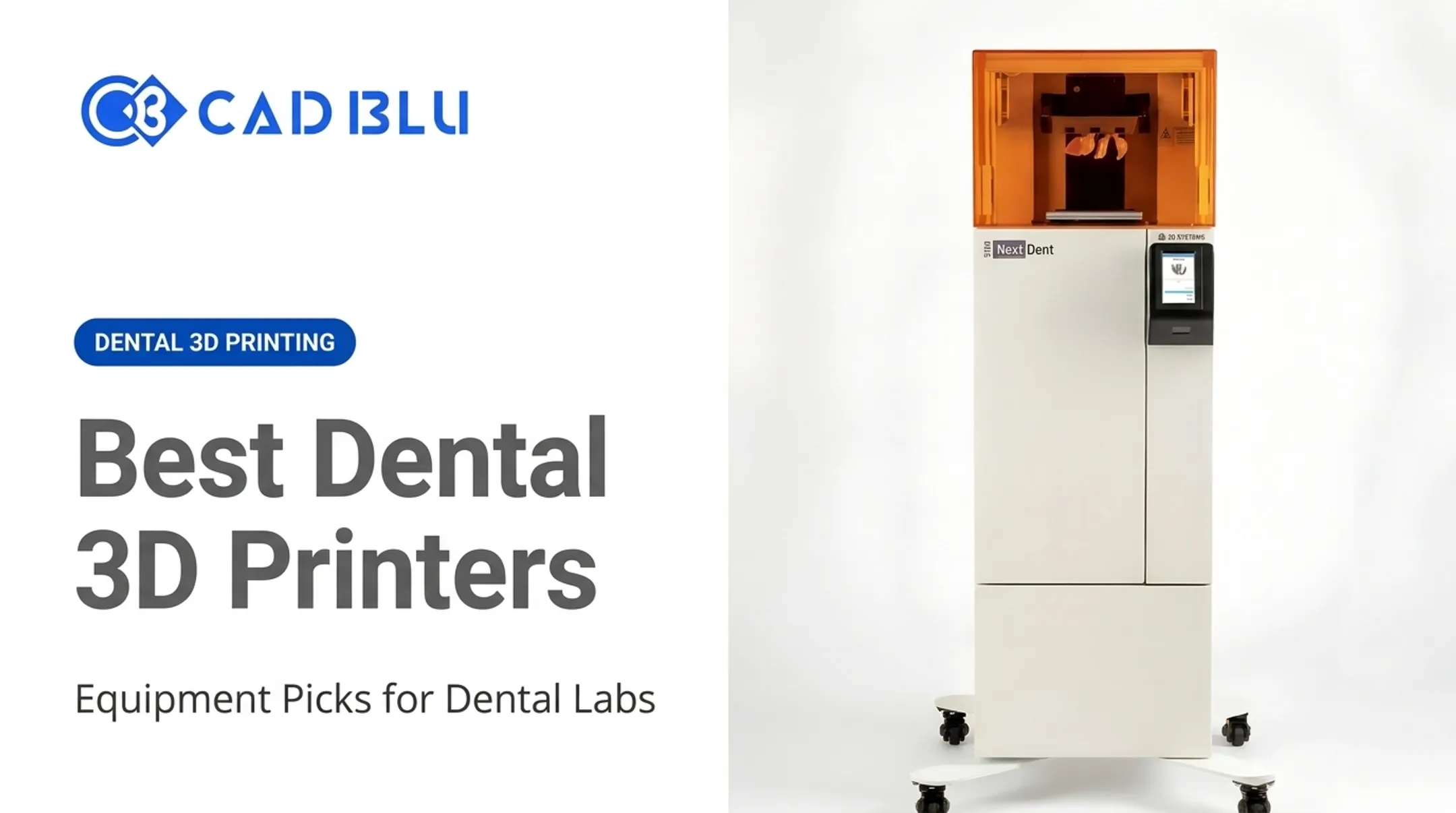
- NextDent 5100 Dental (Figure 4): $10,995 printer-only — mid-range professional fit
- ProJet MJP 2500 Plus: $55,700 — professional option for small labs needing MultiJet capability
- NextDent 300 (MultiJet, multi-material dentures): $72,000 — high-throughput production

Price Range Comparison
Each tier comes with real trade-offs:
- Entry desktop: Best for diagnostic models, ortho aligners, and prototyping — smaller build volumes and fewer validated materials for patient-facing work.
- Mid-range professional: Mixed caseloads (models, guides, splints) and demanding resins; the NextDent 5100 supports 30 NextDent materials across 12 indications.
- High-throughput/production: Volume and automation — e.g., the NextDent 300's 15-arch build in 9 hours — paid back through labor savings and consistency at scale.
One caution applies across every tier: patient-facing or biocompatible work needs a validated material and documented workflow, not just a low printer price. A cheap printer running unvalidated resin for a surgical guide is a liability, not a bargain.
Key Factors That Affect the Cost and Total Cost of Ownership
The purchase price is only the entry fee. Total cost of ownership includes everything you spend to keep the system producing usable parts month after month.
Printer Type, Configuration, and Production Capacity
Technology choice shapes both price and print behavior:
- SLA uses a laser to cure resin layer by layer, generally producing fine detail at slower speeds
- DLP uses a projector to flash entire layers at once, typically faster but sensitive to projector resolution and calibration
- MSLA/LCD uses an LCD mask with LED arrays, offering speed comparable to DLP in most manufacturer comparisons A 2025 in-vitro study comparing SLA and DLP printers for implant surgical guides found the tested DLP printer completed builds in 25-75 minutes versus 100-200 minutes for the SLA unit. The SLA printer produced tighter accuracy on hole measurements (0.078 mm RMS versus 0.124-0.148 mm for DLP). Researchers limited those conclusions to the specific printers and conditions tested. Spec-sheet numbers don't always predict real-world results. Build volume and throughput matter just as much as print technology. A single desktop printer running one plate at a time caps your daily case output. Labs scaling volume often add a second printer or move to a larger-format system rather than running one machine around the clock.
Materials, Software, and Post-Processing
Dental resins aren't interchangeable, and price reflects that:
- Biocompatible, CE-certified, or FDA-listed materials cost more than general-purpose model resins
- NextDent's biocompatible material line ranges from $280.73 for Surgical Guide resin to $734.77 for CROWNTEC, a premium composite for permanent restorations
- Storage, shelf life, and traceability documentation add operational overhead that a cheap resin substitute can't replicate Washing, drying, curing, support removal, inspection, and waste handling all require equipment and labor time. Some systems, like the Photocentric Liquid Crystal Dental line, treat wash and cure units as optional add-ons rather than included components. Confirm whether a quoted printer price covers the full workflow before you buy.
Installation, Training, Maintenance, and Support
One-time and recurring costs to plan for:
- Installation and setup — workflow integration into existing scanning and CAD/CAM systems
- Staff training — learning curve for software, material handling, and quality checks
- Calibration and replacement parts — ongoing maintenance to hold accuracy
- Warranty and service plans — the NextDent 5100 includes a 12-month manufacturer's warranty with 12-24 month extended options Compare technical support availability, repair turnaround, and technician qualifications carefully. CAD BLU offers installation, workflow optimization, repair, and OEM-trained technician support through Onsite Service, Remote Service, and Spare Parts Only options.

Cost Per Part and Operating-Cost Formula
A simple framework for estimating cost per part: Material used + consumables + labor + equipment allocation + maintenance allocation + failed-print allowance = cost per part No independently verified industry-wide cost-per-part figure exists across brands. Build your own using actual material invoices, labor rates, and observed failure rates rather than a vendor's marketing example.
Low-Cost vs High-Cost Dental 3D Printers — How to Estimate the Right Budget
A lower price tag isn't automatically a worse decision, and a higher one isn't automatically better. It depends on what you're producing and how often.
Performance and Production
Lower-cost systems typically trade off:
- Smaller build volumes, meaning fewer parts per plate
- Slower speeds or more manual intervention between prints
- Narrower material compatibility
Higher-cost systems justify their price when:
- Case volume is high enough that automation reduces labor hours
- Repeatability matters more than flexibility
- Outsourcing costs currently exceed what in-house production would cost
Accuracy, Reliability, and Durability
Treat published accuracy claims carefully. Manufacturer specs and independent testing don't always match. The 2025 SLA-versus-DLP study tested one printer per technology in vitro — useful context, not a universal ranking.
Before assuming a higher price guarantees better clinical results, check:
- Calibration requirements and frequency
- Print consistency across multiple builds, not just one demo run
- Availability of replacement parts and expected service life
- Downtime risk if the unit needs repair
Application and Compliance Fit
A printer suited for diagnostic models has different requirements than one intended for surgical guides, splints, dentures, or definitive restorations. Before purchasing, verify:
- Material indications match your intended use (temporary versus permanent, appliance versus model)
- Curing protocols are documented and followed
- Quality controls and workflow documentation meet your practice's professional obligations
- Any applicable FDA classification or biocompatibility standard applies to your specific material and use case
FDA product classifications are indication-specific — a resin cleared for temporary crowns isn't automatically cleared for a different application, so don't assume one clearance covers your whole workflow.
Budget Planning Checklist
Before requesting quotes, define:
- Intended applications (models, guides, splints, dentures, restorations)
- Monthly case volume and peak workload
- Required turnaround time
- Desired automation level
- Available space and staff expertise
- Quality requirements for patient-facing work
When comparing quotes, make sure each one accounts for:
- Printer, software, and materials
- Post-processing equipment
- Installation, training, warranty, and service plan
- Shipping, ongoing consumables, and upgrade paths
For ROI, compare your current outsourcing and labor costs against depreciation, consumables, maintenance, labor, and financing. Use your own invoices and case volumes — a generic industry average won't reflect your workload.

Get Guidance Before You Buy
If you're matching applications, materials, and equipment to a real budget, CAD BLU provides additive manufacturing consultations for dental practices and labs — scoped to your case mix, not the sticker price alone.
What Most Buyers Miss When It Comes to Dental 3D Printer Prices
Focusing only on the printer's sticker price hides real costs that show up later:
- Post-processing equipment — wash and cure units aren't always included
- Material licenses and consumables — some printers restrict you to proprietary resins
- Staff time — file prep, monitoring, and finishing all take labor hours
- Facility requirements — ventilation, temperature control, and space for post-processing gear
Other operating costs stack up after install:
- Failed prints and wasted resin
- Downtime while waiting on repairs
- Calibration and inventory management
- Waste disposal for uncured resin
- Financing charges if you lease the equipment
A low purchase price can also limit what you can run. Don't assume every low-cost printer can safely handle every dental application. Verify validated materials, curing protocols, and regulatory documentation requirements before anything patient-facing goes on the build plate.
Service quality, repairability, and upgrade paths matter as much as speed and resolution. A slightly slower printer backed by responsive, OEM-trained repair support often costs less over three years than a faster unit sitting idle waiting for parts.
Conclusion
Dental 3D printer prices run from accessible desktop systems in the low thousands to production setups exceeding $70,000, depending on configuration and intended use. The NextDent 5100 at $10,995 and the NextDent 300 at $72,000 show how far that range stretches within one manufacturer's lineup.
A realistic budget accounts for the full workflow:
- Printer and materials
- Software and post-processing
- Labor, installation, and maintenance
- Support and compliance requirements
Skip any of these, and the "savings" from a cheaper printer disappear fast.
The right investment balances application fit, reliability, production capacity, and cost per part against long-term value, not just the number on the quote. If you're evaluating a turnkey or partial solution, CAD BLU can help match your workload to the right equipment.
Frequently Asked Questions
How much does dental 3D printing cost?
Printer-only pricing runs from roughly $3,500 for entry systems to $72,000+ for production denture printers. Complete workflows with wash/cure units and starter materials typically add several thousand dollars, plus ongoing resin, labor, and maintenance costs.
What is the best 3D printer for dental use?
There's no universal answer. It depends on your applications, material needs, case volume, accuracy requirements, and support expectations. A printer suited for orthodontic models may not fit a lab producing dentures at scale.
How long do 3D printed teeth last?
Longevity depends on the material, indication, and whether the part is a model, temporary, or definitive restoration. A 2024 study on 3D printed temporary crowns found a 98% survival rate over a mean observation period of 266 days. Always follow the material manufacturer's instructions.
Can 3D printers be repaired?
Yes, most commercial dental 3D printers can be repaired, but access to parts, calibration support, and technician qualifications vary by manufacturer. CAD BLU offers OEM-trained repair through onsite, remote, and spare-parts-only service options.
What is the fastest 3D printer available?
"Fastest" depends on whether you're measuring layer speed, full-build time, or finished-part turnaround after post-processing. Compare systems using the same resin, geometry, and completion definition. Headline speed claims often skip post-processing time entirely.
How much does a 3D dental scan machine cost?
Intraoral scanners are priced separately from printers, generally starting around $12,000 to $20,000 and reaching $50,000 depending on software, training, and service inclusions. Laboratory scanner pricing varies based on accuracy and workflow complexity.